DynoMerge is document generation for Salesforce, docked in Chrome's side
panel. It reads {{Conga}} and <<Drawloop>> tags as-is —
the delimiters are auto-detected — so a template you already have merges against live
record data. No managed package. Nothing leaves your browser.
Field exploration, template authoring, merging, preview, attach-back — all of it runs locally in the panel. No deployment, no middleware server, no vendor cloud. The extension adds nothing to your org; the optional companion package is the only piece that does.
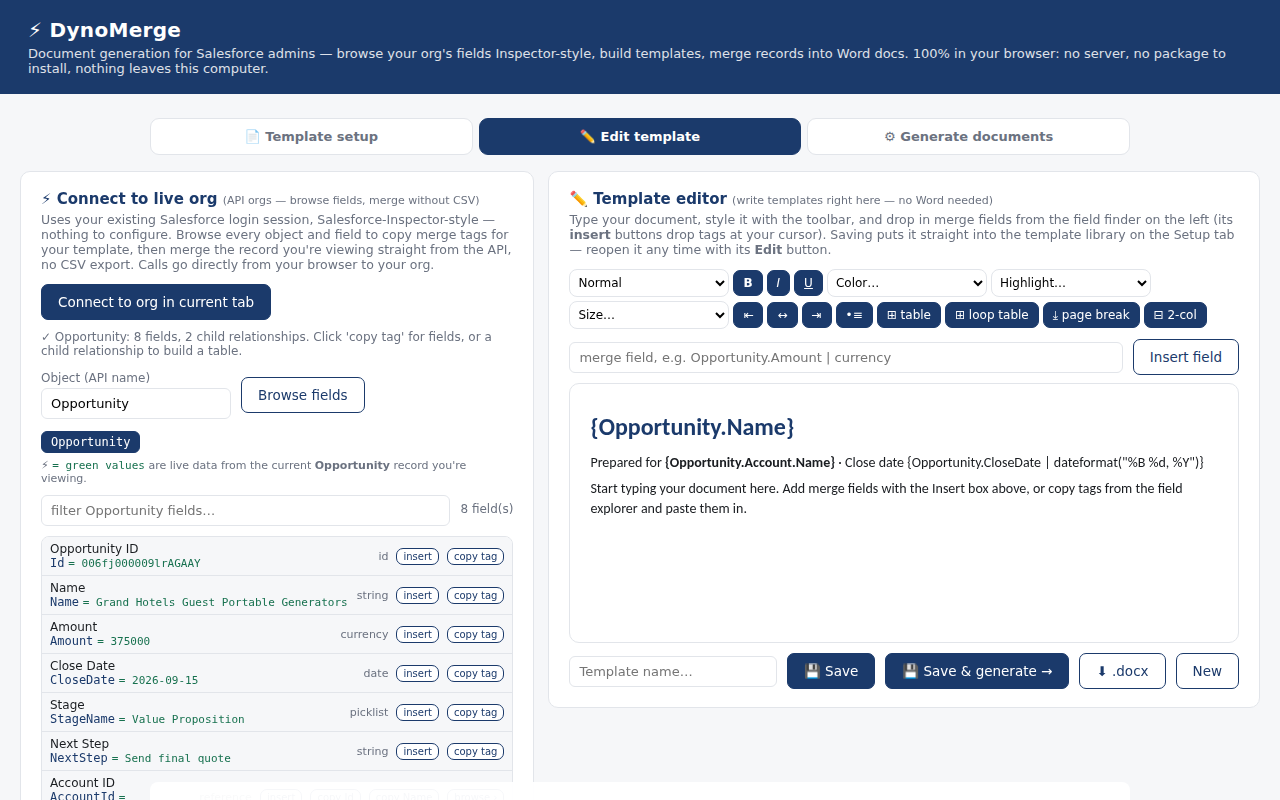
Open the panel next to any record and see every object and field in your org — with the current record's values in green, breadcrumb drilling through lookups (Opportunity → Account → Owner), and one-click merge tags ready to paste or drag.
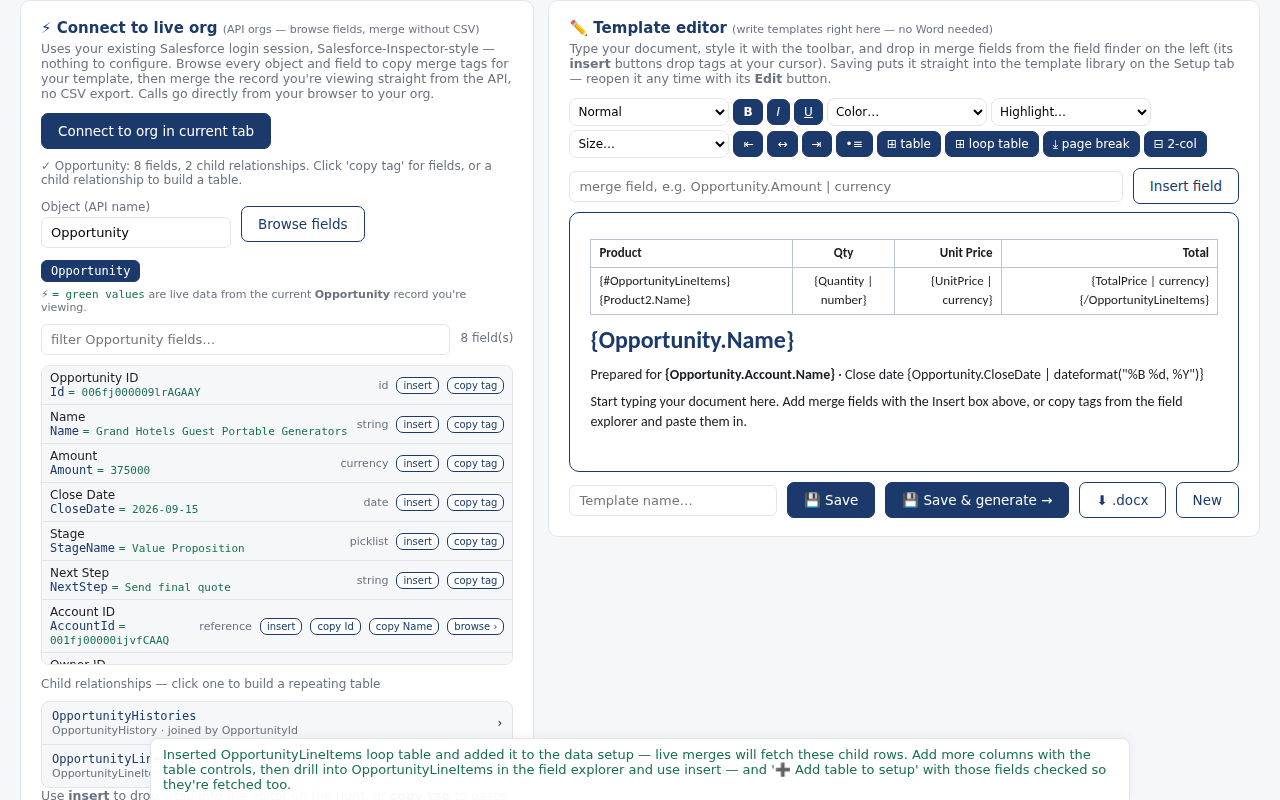
A rich-text editor with tables, page breaks, banded rows, and drag-and-drop merge fields. Insert a repeating child table (line items, cases, contacts) and the picker wires up the data automatically. Prefer Word or Google Docs? Keep using them — DynoMerge merges any .docx.
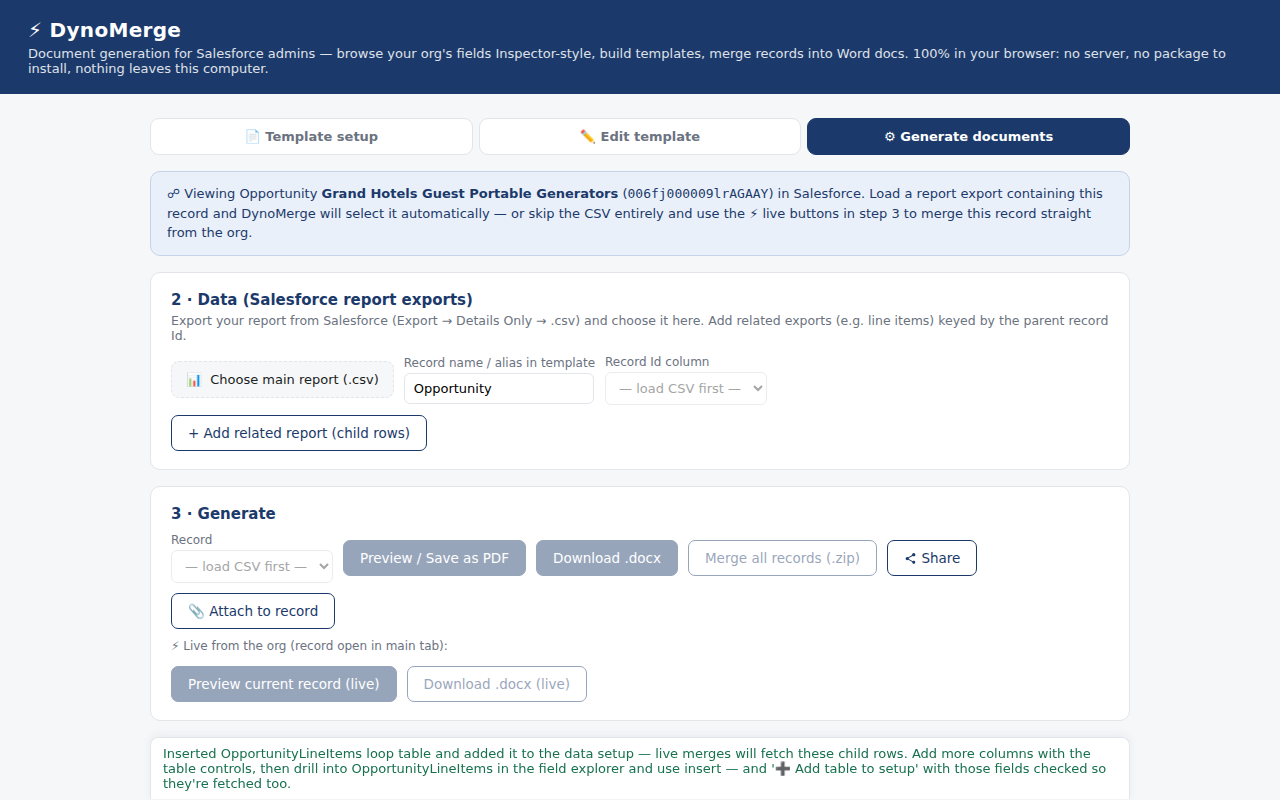
One click merges the record on screen straight from the API, no CSV export. On a report page, ⚡ Grab this report lifts the rows right off the page — including orgs with no API access (Starter/Essentials) — and merges every row, with totals and counts.
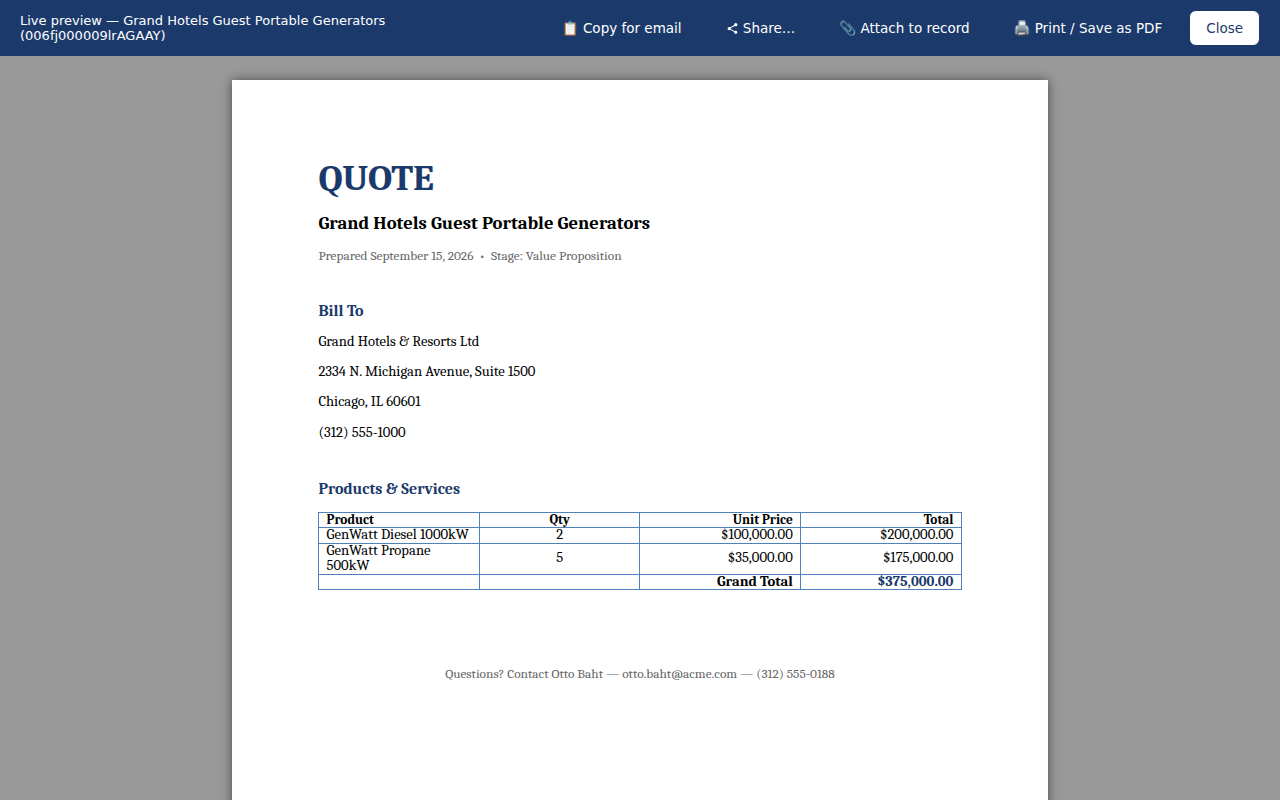
See the finished document as you work — real values, repeating rows, conditional formatting like red past-due dates. Filters handle currency, dates, sums, counts, uppercase, defaults and more.
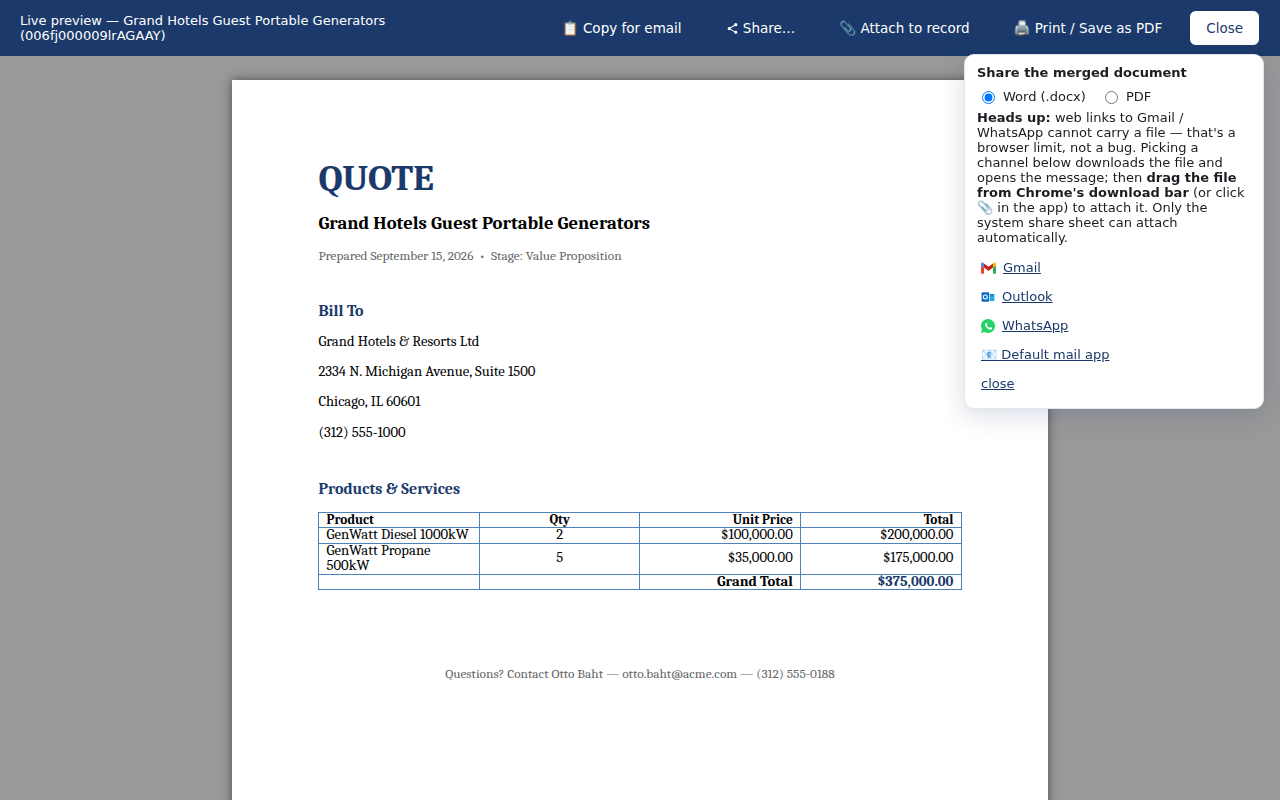
File the merged doc on the record as a Salesforce File in one click, download it, print to PDF, or batch-merge a whole list to a zip. Pair it with the free companion package to log every generation and auto-update Quote Status.
The extension lives in Chrome and runs on your existing session and permissions — installed in under a minute. The optional companion package is unmanaged and yours to edit: it adds a custom object, one picklist field on Opportunity, two Apex classes and a ContentVersion trigger, and ships the permission set that grants access to them. The trigger runs on file uploads but acts only on documents DynoMerge itself created.
Merging happens in your browser's memory. Documents and record data never leave your machine — there is no DynoMerge cloud to trust, breach, or add to a security review.
The full authoring and merge toolkit is free, forever. Team-rollout features are how we pay rent — not your data, and not ads.
Point it at your existing Conga {{tags}} or Drawloop
<<tags>> templates and they merge as-is. Delimiters are
auto-detected. That's the template file itself — DynoMerge reads the merge tags
inside your .docx; anything your previous tool did outside the document
is a separate job.
Starter or Essentials edition? Grab rows off any report page or load a CSV export — same templates, same output.
The optional companion package (unmanaged, yours to edit) logs every generated document and flips Opportunity Quote Status — build your Flows on top.
The DynoMerge mobile app (Android & iOS) brings the same local merge engine to the phone — reps pick a record, generate the quote, and hand it off through the native share sheet as a real attachment in WhatsApp, Gmail, or Messages. Same privacy story: the document is generated on the device. Mobile ships as part of DynoMerge Teams.
Simple split: everything one admin needs is free; everything about rolling it out to a team is paid.
Install DynoMerge from the Chrome Web Store — one click, free, auto-updates. Four starter templates are pre-loaded the first time you open the panel. Reviewing this for your org? Every permission it asks for is explained here.
Click the DynoMerge icon on any Salesforce record. The side panel finds your session automatically — no setup, no login.
Four starter templates are already there the first time you open it. Load Quote (basic) and follow the quick start to your first merge.
Guides and references: getting started, Word template techniques, conditional formatting, every filter, every error message explained, and rollout best practices for admins.
Feature requests and votes live in our public GitHub Discussions. Tell us what to build next.
Need hands-on help — document design, or a Conga/Drawloop/DocuSign setup untangled? See services.
Approving this for your org? Every permission explained — what it is for, what it cannot do, and how to verify each one yourself. Plus the privacy policy.
